Your freelance week, in one place.
Clients, recurring reports, time tracking, a calendar with an hour-by-hour day view, and the people you plan to write to. It runs in your browser, works offline, and your data never leaves your device.
No account · No subscription · English and German
Time and reports
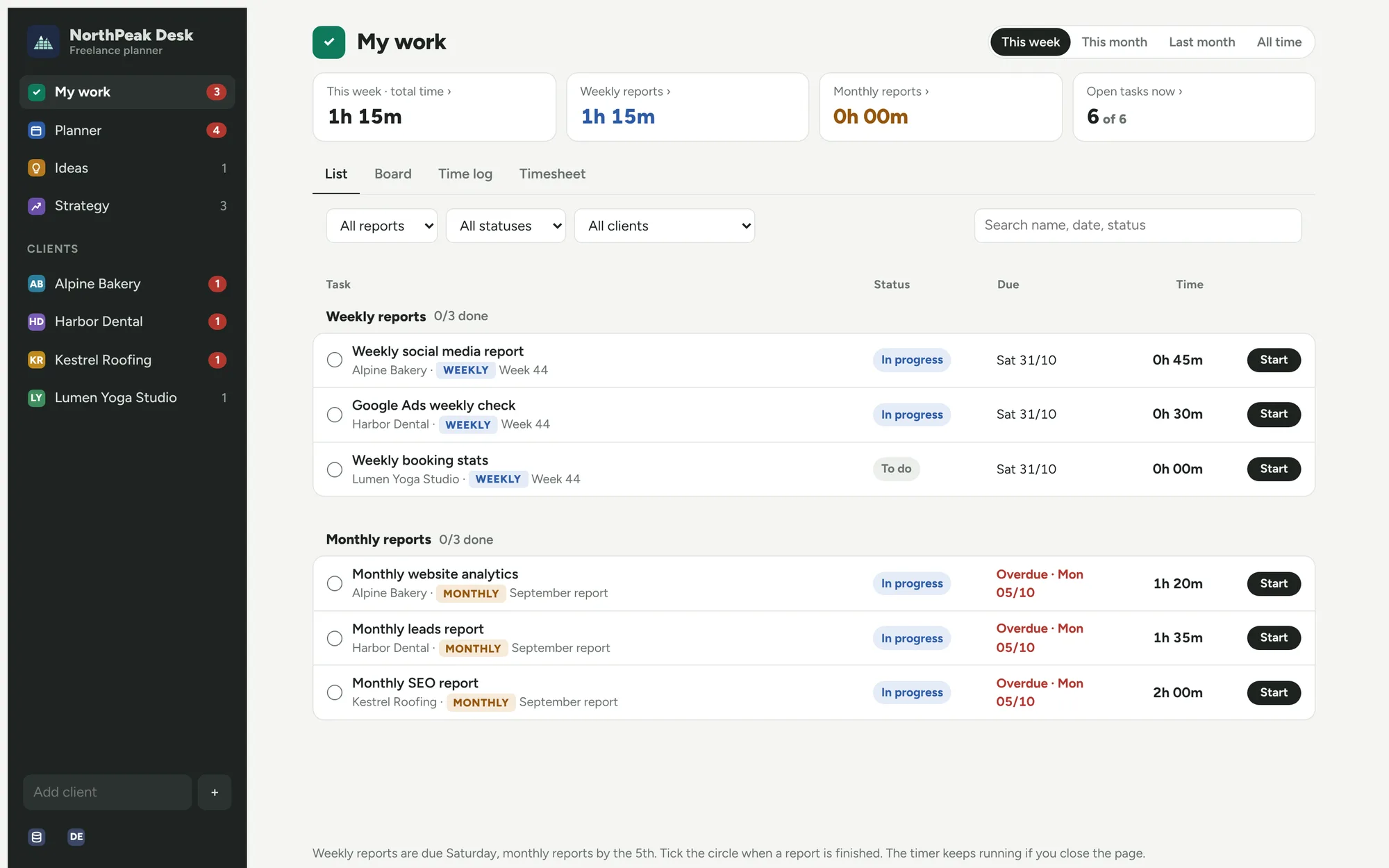
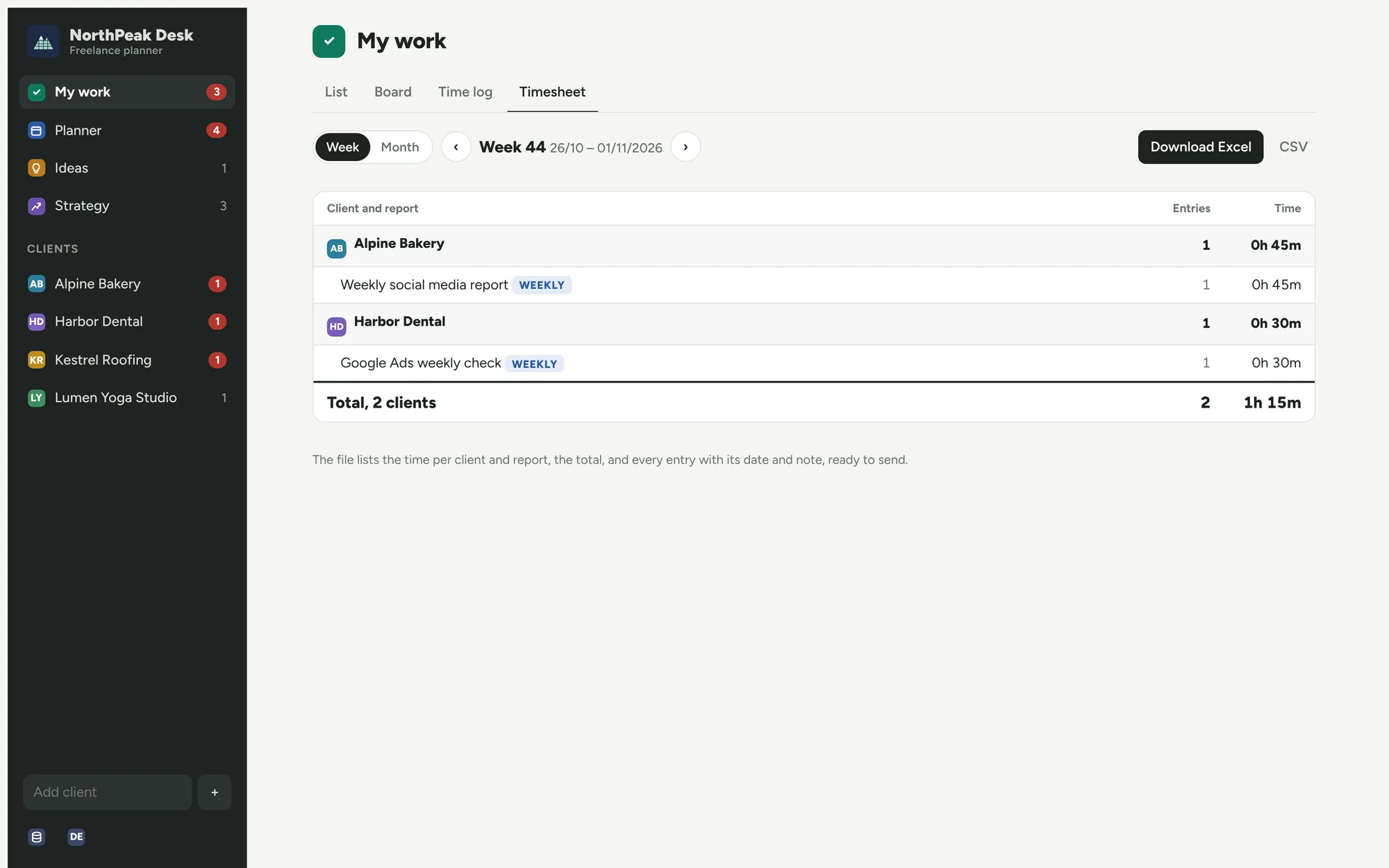
Start a timer on a report and see what is due this week and what is late. Weekly reports are due on Saturday, monthly ones by the 5th. Download a timesheet for any week or month as Excel or CSV.
A calendar that shows your day
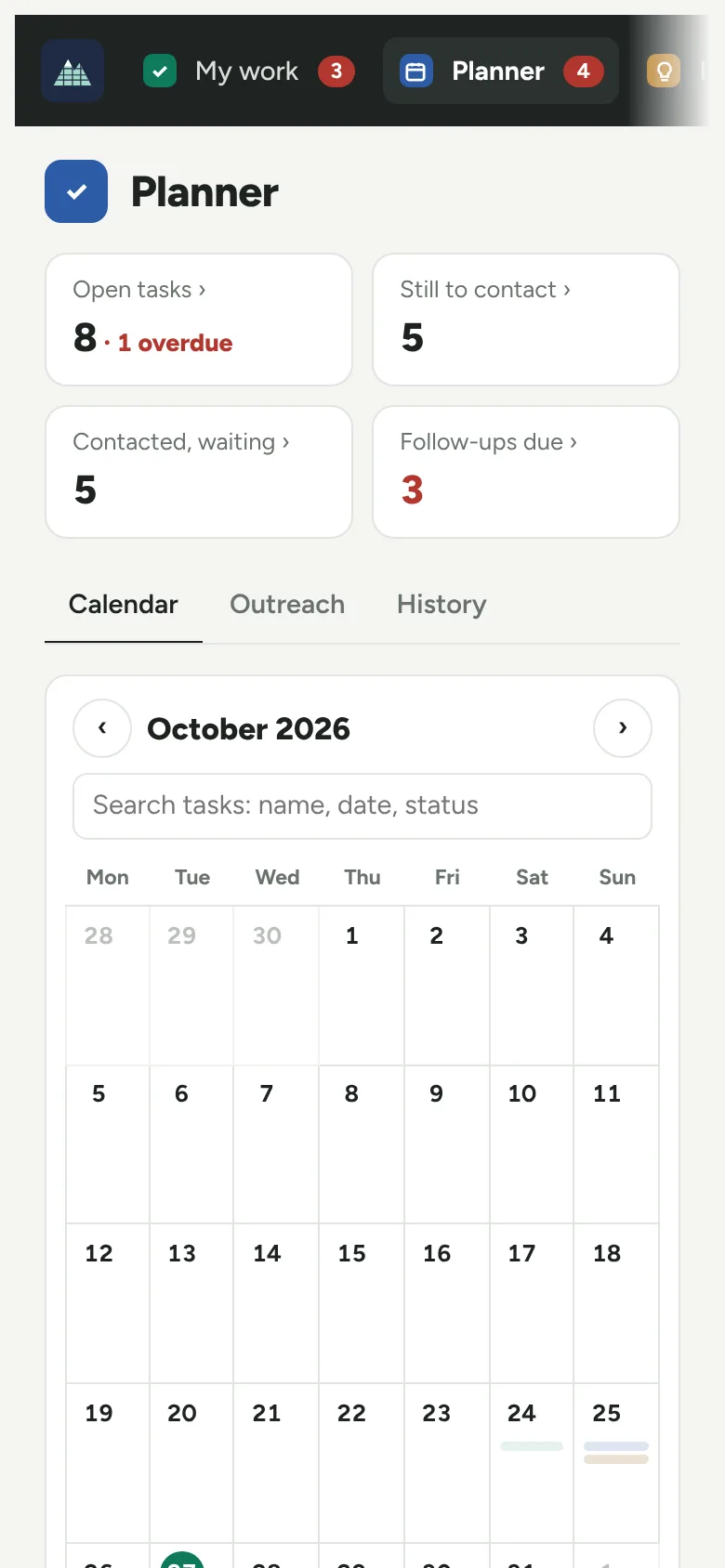
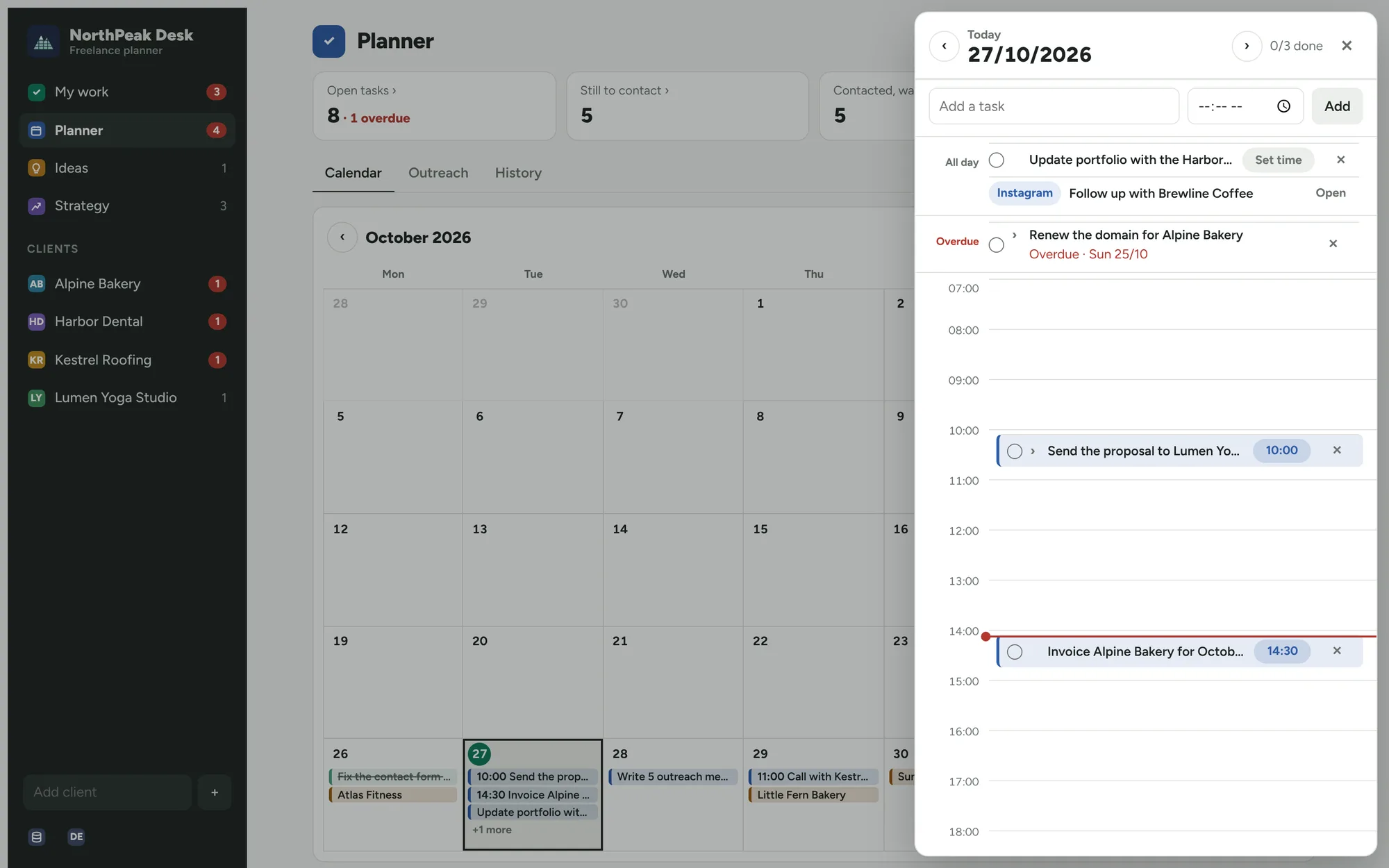
A full-month view with every task. Click a day and it opens like a sheet of paper: tasks without a time on top, the rest on the hour lines. Drag a task to an hour to plan it.
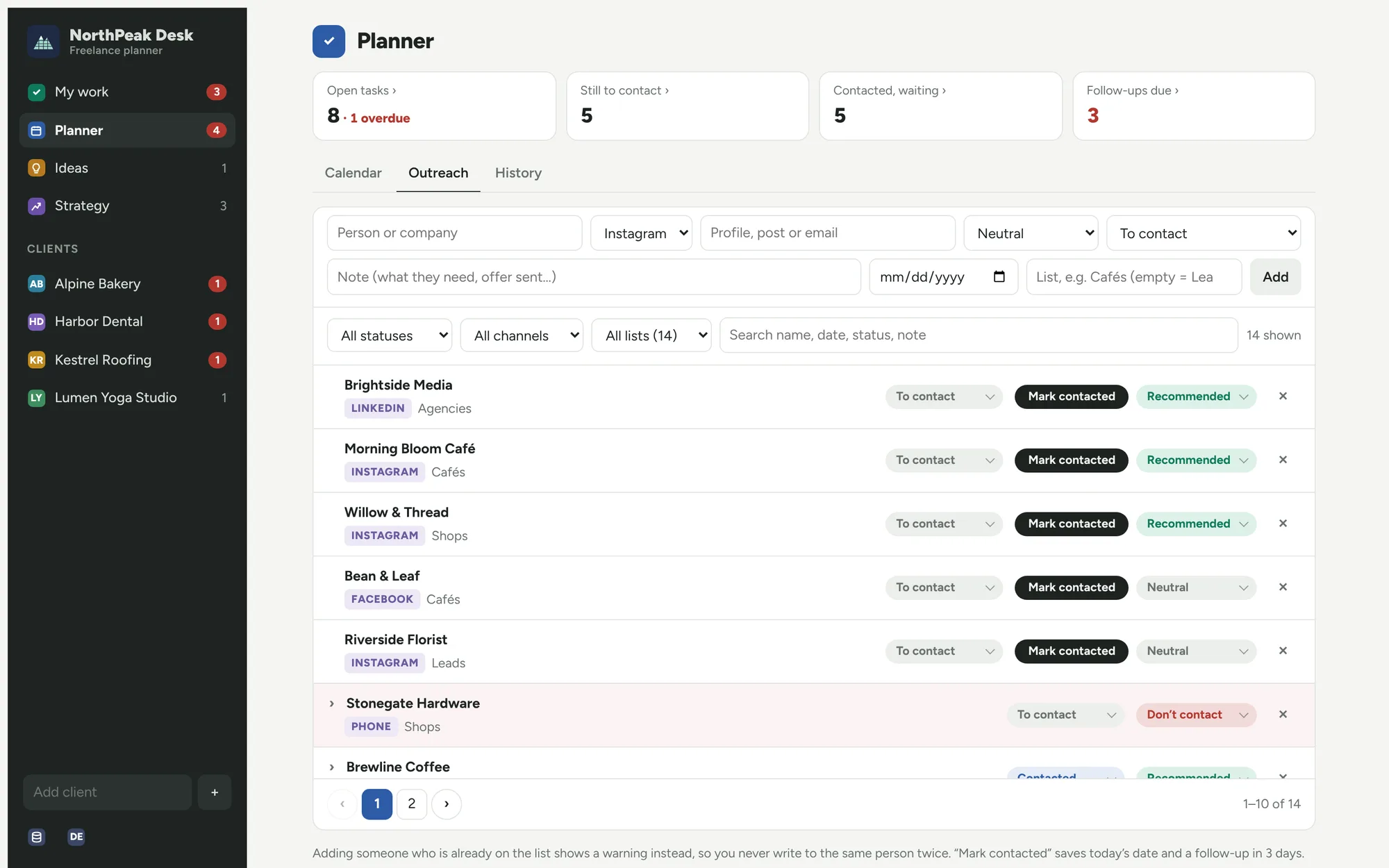
Outreach without the spreadsheet
Keep a list of people and companies to write to. Mark who you contacted and get a follow-up reminder three days later. It warns you before you write to the same person twice.
Also inside
- Ideas: every product idea, with its link, price and where it sells
- Strategy: write down how you look for clients and mark what works
- Search on every page by name, date or status
- Light and dark mode, phone and desktop
Private by design
On your device
Everything you enter is stored in your browser. There is no server and no account.
Works offline
Once opened, it keeps working without internet – on the train, on a plane.
Your backup
Download a backup file any time and restore it on another device.
Pay once, keep it
One payment, no subscription.
Buy for €29Secure checkout on Gumroad. You get the link to your copy right after paying.
- Every feature on this page
- Install it on your phone and computer
- English and German
- Free updates for version 1
Questions
Does it sync between my phone and my laptop?
Not in this version. Each device keeps its own data. To move it, download a backup on one device and restore it on the other.
Do I need an account?
No. Open the link, and it works.
What if I clear my browser data?
Your data lives in the browser, so clearing the site data deletes it. Download a backup now and then – it takes one click.
Which browsers work?
Current Chrome, Edge, Safari and Firefox. You can install it as an app from Chrome or Edge, and on iPhone from Safari (Share → Add to Home Screen).
Can I try it first?
Yes. The demo is the full app with example data. Your changes there reset when you reload.